Ask five buyers what matters most on an LED spec sheet and four will say brightness or price. The one that actually decides both - along with resolution and minimum standing distance - is pixel pitch. Get this single spacing number right first, and the rest of the quote falls into place on its own.
What Is Pixel Pitch?
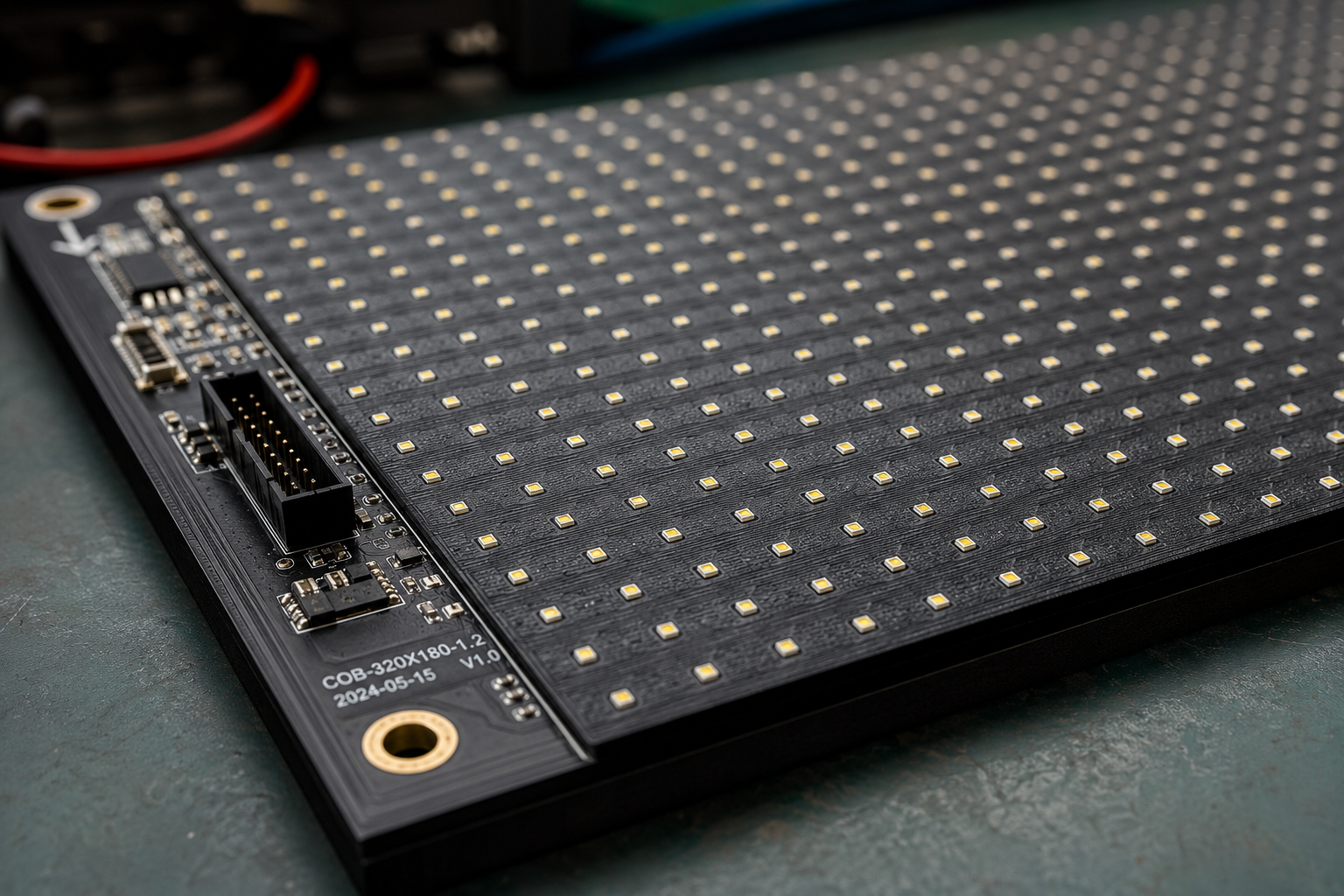
So what is pixel pitch, in plain terms? It's the distance, in millimetres, from the centre of one LED to the centre of the next one beside it. That's the whole definition. A panel labelled P2.5 led display has 2.5mm between diode centres; a panel labelled P10 has 10mm. Smaller number, tighter spacing, more diodes packed into the same cabinet. Larger number, wider gap, fewer diodes - and a lower bill.
The "P" in front of the number is industry shorthand for that spacing, nothing more. When a spec sheet lists led pixel pitch as P1.5 or P6, it's describing physical distance between diodes, not a resolution tier or a quality grade. Everything downstream of it - sharpness, cost, how far back a viewer needs to stand - is a consequence of that one dimension.
Why This Spacing Decides Almost Everything
A tighter led display pixel pitch means more diodes on every cabinet, which means more driver electronics and more assembly labour, so price per square foot climbs. It also means a sharper image up close, since the eye can't pick out individual LEDs as easily when they sit close together. Widen the gap instead, and the panel gets cheaper and brighter, but the picture only reads clean once the viewer steps back far enough for the spacing between diodes to blur together.
That trade-off is the entire game. There's no single "correct" spacing - only the right one for how close people will actually stand.
| Pitch | Minimum viewing distance | Typical use |
|---|---|---|
| P0.9 – P1.5 | 1m – 1.5m | Control rooms, TV studios, fine pixel pitch indoor |
| P1.8 – P2.5 | 2m – 2.5m | Boardrooms, retail fronts, lobby walls |
| P3 – P4 | 3m – 4m | Atriums, indoor stages, premium facades |
| P5 – P6 | 5m – 6m | Outdoor storefronts, street-level ads |
| P8 – P10 | 8m+ | Highway billboards, stadium screens |
Using a Pixel Pitch Calculator
There's a rough rule that stands in for a full pixel pitch calculator in most early planning: minimum comfortable viewing distance in metres roughly equals the spacing number in millimetres. A P4 wall wants viewers 4 metres back or more; a P1.5 wall stays sharp from 1.5 metres. Run this shortcut before final drawings, then confirm with a proper calculator or your supplier once the site and content type are locked.
Indoor vs Outdoor: The Same Number, Different Logic
An indoor led display pixel pitch can run tight - P1.2 to P2.5 is common - because the viewing distance is short and the environment is controlled. Push that same tight spacing outdoors and two problems show up fast: cost balloons on top of the brightness and weatherproofing premium outdoor cabinets already carry, and the resolution gain is wasted on an audience standing 10 metres back.
An outdoor led display pixel pitch gets chosen backwards from indoor logic - start with how far the audience actually stands, then pick the widest gap that still looks sharp from there. A wider spacing buys back brightness and budget needed for direct sunlight.
Fine Pixel Pitch: When the Premium Is Worth It
Fine pixel pitch panels - generally anything under P1.5 - exist for one job: close-range viewing where every metre matters, like a broadcast studio, a command centre wall, or a retail counter people lean over. The diodes sit closer together and often use chip-on-board mounting instead of surface-mount packages, which improves durability and viewing angle at that density. It costs more per square foot than a standard spec, but on a fixed install running a decade, the lifespan math often closes that gap.
| Scenario | Recommended spacing | Reasoning |
|---|---|---|
| Command centre, viewers 1–2m away | P1.2 – P1.5, fine pitch grade | Text and data need to stay crisp up close |
| Retail storefront, 2–3m foot traffic | P2.5 – P3 | Balance of sharpness and panel cost |
| Building facade, viewed from the street | P4 – P6 | Distance absorbs a wider gap easily |
| Highway billboard, cars at speed | P8 – P10 | Detail below this is invisible at that range |
Reading a Pixel Pitch Chart the Right Way
Most manufacturer sites publish a pixel pitch chart mapping spacing to recommended distance, and most are close enough to trust for early planning. Where buyers get tripped up is comparing two quotes at different specs as if they were the same product - a P2.5 led video wall and a P4 wall of the same physical size carry meaningfully different diode density, cost, and sharpness, even if price-per-panel looks similar on paper. Always match spec across quotes, not just screen size.
Pixel Density: The Result, Not a Separate Spec
Pixel density isn't something to negotiate on its own - it's simply how many diodes fit per square metre once the spacing is fixed. A tighter gap always means higher density and finer led screen resolution for the same physical size. Some suppliers quote density in dots per square metre instead of a millimetre figure; the two numbers describe the identical spacing, just from opposite directions.
Getting the Number Right: Four Steps
Frequently Asked Questions
What does P2.5 mean on an LED display?
It means the diode spacing is 2.5mm apart - the distance between the centre of one LED and the next - which sets the minimum comfortable viewing distance at roughly 2.5 metres.
Is a smaller number always better?
No. Tighter spacing only pays off when viewers stand close. For a highway billboard or a large outdoor facade, a wider gap delivers a sharper-looking result for the money, since nobody is close enough to see individual diodes either way.
How do I work out the right pixel pitch for my room?
Use the shortcut: the spacing figure in millimetres roughly equals minimum viewing distance in metres. Measure how far your closest viewer stands, and that number points to the range worth quoting.
What's the difference between pixel pitch and resolution?
Spacing is the physical distance between diodes; resolution is the total pixel count across the whole screen. A tighter gap on the same size panel always produces higher resolution, but the two terms measure different things.
Every other decision on an LED display quote - brightness, cabinet grade, refresh rate, price - sits downstream of this one spacing figure. Nail the viewing distance first, let that set the number, and the rest of the spec sheet stops being a guessing game.
Not sure which spacing fits your space?
Tell us the room, wall, or site and typical viewing distance - we'll recommend the pixel pitch that actually makes sense, not just the one with the best margin.
Get a Quote →